
Checking for a Warrant in Mount Enterprise
One call answers most warrant questions in Mount Enterprise: 903-822-3269, the Municipal Court. The clerk sits at 401 W Gregg Street. Ask whether the citation is still open, whether missing an appearance caused a warrant to issue, and whether the court wants payment or an appearance before it recalls anything. Start here when a ticket or notice names the city. Skip the vendor form until the court confirms what you owe. The City Marshal's Office at 103 W Gregg Street, 903-822-3550, is a separate contact for public-safety matters, but the marshal cannot tell you where a case stands. That answer comes from the clerk.
Mount Enterprise's Three Office Routes Are Distinct
Mount Enterprise splits its offices across three addresses, and each one answers a different question. The City Marshal's Office sits at 103 W Gregg Street. Municipal Court is listed separately at 401 W Gregg Street. Justice of the Peace Court 3 is at 306 NW 2nd Street, phone 903-822-3737. So the practical route is simple: a city citation goes to Municipal Court, a JP3 citation goes to the precinct clerk, and a public-safety question goes to the marshal.
| Office | Address | Phone | Use for |
|---|---|---|---|
| Municipal Court | 401 W Gregg Street | 903-822-3269 | City citations and court process |
| City Marshal | 103 W Gregg Street | 903-822-3550 | City marshal or public-safety contact |
| JP3 | 306 NW 2nd Street | 903-822-3737 | Justice-court precinct cases |
Mount Enterprise City Marshal and Municipal Court Warrants
City and state directories list the Mount Enterprise City Marshal's Office and Municipal Court as two separate offices. The court clerk keeps the city docket; the marshal handles public safety. Getting this straight saves a trip. The office at 103 W Gregg does not hold court files, and the court at 401 W Gregg has no say over a JP3 ticket.
Mount Enterprise Municipal Court
401 W Gregg Street
Mount Enterprise, Texas
903-822-3269
Mount Enterprise's Citation Portal Is for Payment
The payment page, linked from the city's official website, handles Mount Enterprise citations and nothing else. Its form asks for a first and last name, driver's-license number and state, ticket number, payment amount, a one-time code by mobile or email, a six-digit code, and a CAPTCHA. Every one of those fields serves a payment. Typing your license number into the form does not run a warrant lookup, so a blank or accepted result tells you nothing about whether a warrant is active. Confirm the court and the amount before you submit anything. If the ticket is old, if payment fails, or if you missed a date, call the city court first instead of forcing the transaction through. The official payment portal lays out the exact fields a city citation transaction requires.
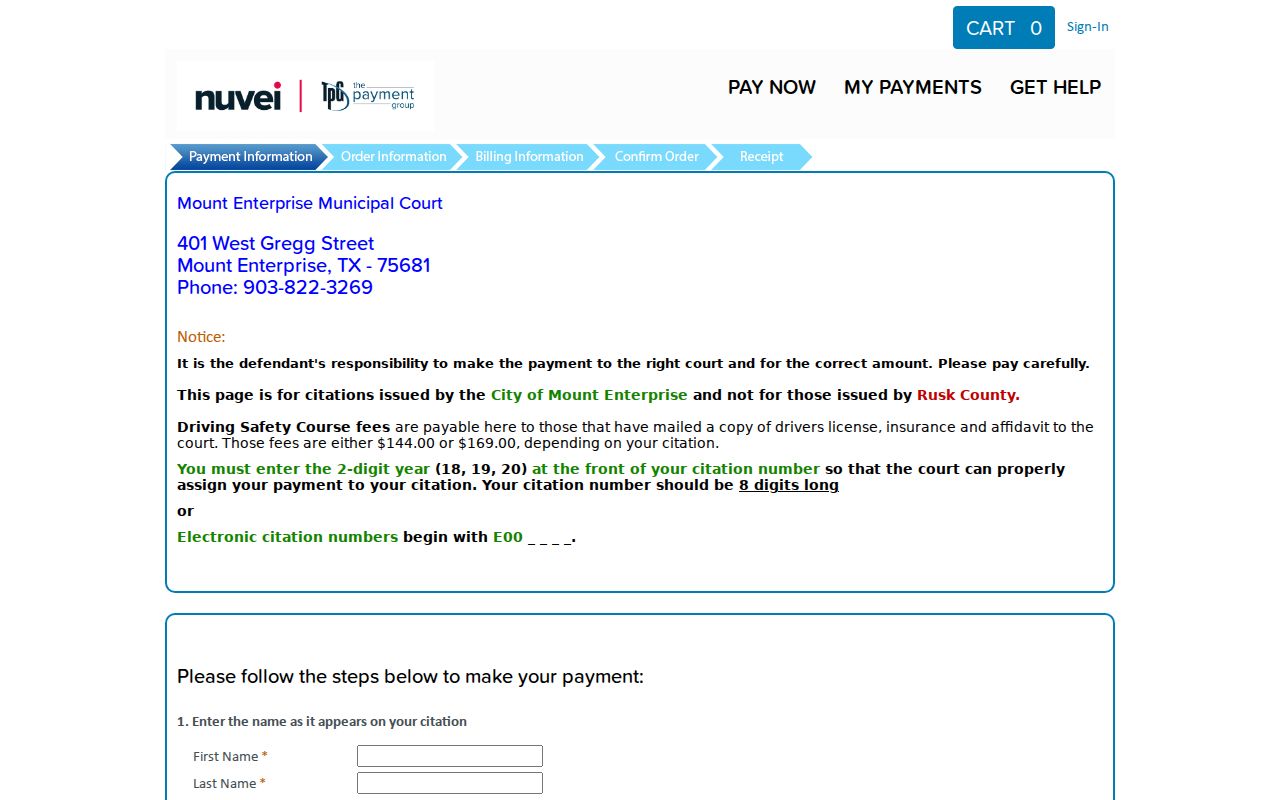
Use it only for a Mount Enterprise city ticket, not as a warrant search.
Mount Enterprise Warrant Types
Warrant type follows the ticket. A Mount Enterprise Class C or traffic citation belongs to Municipal Court, while JP3 handles county precinct matters on its own docket. The city publishes no public active-warrant list and no online status search. A missed appearance or unpaid judgment can push a court to issue process, but only the clerk can say what was actually issued and which options apply to you. And do not mistake the payment portal's driver's-license field for a warrant lookup. It is simply part of the checkout flow.
Mount Enterprise Court Rules Affect an In-Person Visit
Mount Enterprise asks court visitors to follow a few local rules: dress properly, silence mobile devices, skip photography and audio recording, and leave food and drinks outside. Those instructions come from the city procedures page. They bind you at the city court, not at JP3 or the marshal's office. Check the current city page before you appear, and ask whether the clerk wants an appointment or a particular document. The city site says it launched in 2022, though that date alone does not tell you whether a procedure has changed since. The Municipal Court procedures page publishes these local instructions in full.
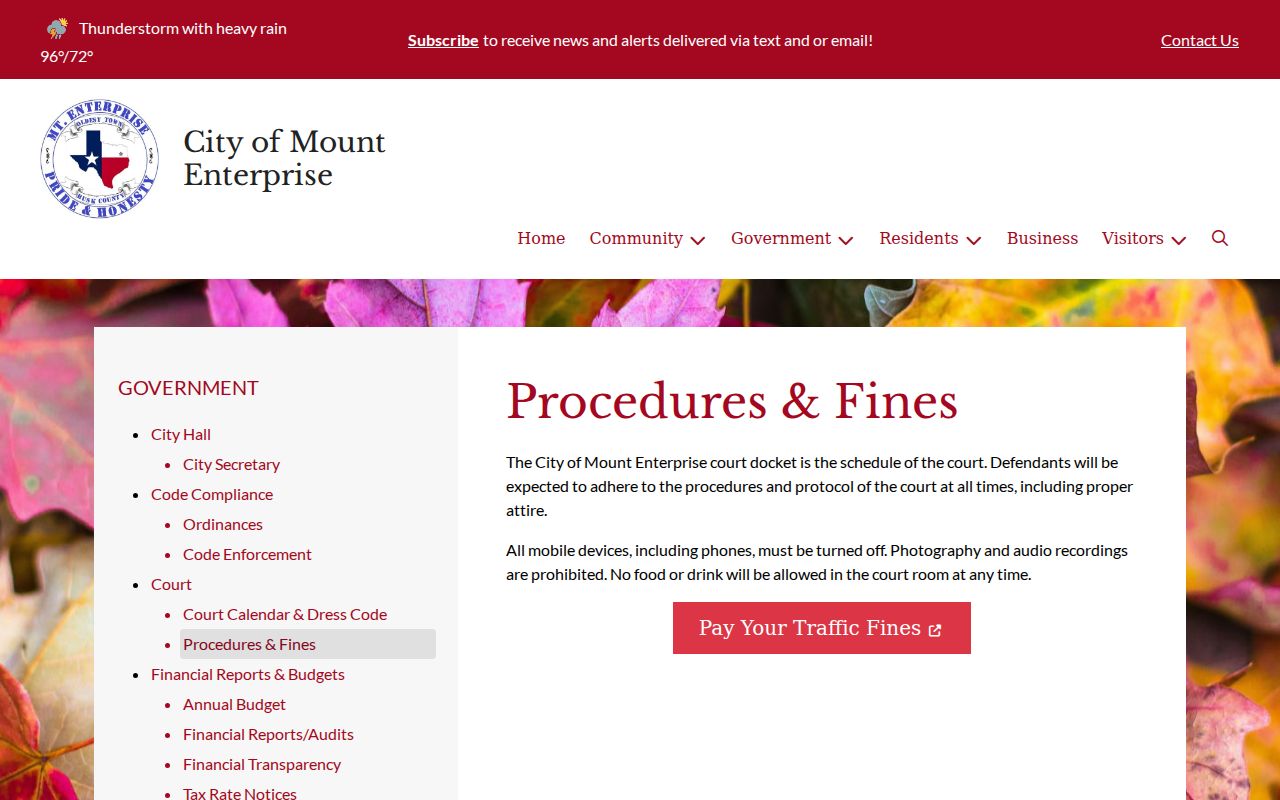
Check the live page before making an in-person visit.
What a Mount Enterprise Warrant Record Shows
Mount Enterprise publishes no searchable warrant result and no public list schema. The citation portal's fields exist to take a payment. To read a court record, bring the ticket or case number and ask the clerk what the docket shows, whether process issued, and when a payment or recall will post.
| Ticket number | Identifier entered in the city payment transaction. |
|---|---|
| Payment amount | Confirm the correct figure with the court before submitting. |
| One-time passcode | Sent by phone or email to complete that transaction. |
| Warrant status | No public city search was located; ask Municipal Court. |
Mount Enterprise Has No Public Warrant List
With no online status search, the phone is the right tool when a Mount Enterprise citation is old or a court date was missed. Call 903-822-3269 before paying anything. Ask whether the case is current, whether a hearing is required, and when a recall gets entered. The city states no walk-in policy or alternate payment method, so rely on what the clerk tells you in that call.
- Identify whether the issuer is Municipal Court or JP3.
- Give the matching clerk the citation or cause number.
- Ask about process, balance, and the next hearing.
- Use only the payment route for the identified city citation.
- Confirm the court docket after payment or appearance.
How Mount Enterprise Warrants Fit With Rusk County
City process starts in Municipal Court and may be served by the City Marshal or another authorized agency. JP3 sits at a different address as a county court with its own docket. Paying a city citation neither searches nor settles a JP3 case. The Rusk County Sheriff may serve process, but the sheriff is not the first place to ask about a city ticket. For the wider county picture and routes through other cities, see the Rusk County warrant records overview.
How to Resolve a Mount Enterprise Warrant
Call the Mount Enterprise clerk and ask which fix fits: payment, a reset date, an appearance, a motion, or judge review. Confirm that the court accepts payment before an appearance, and ask how a recall gets recorded. Filling in the vendor's fields does not clear a missed date by itself. If the ticket came from JP3, call that precinct instead of the city court.
Check before paying: The city portal covers Mount Enterprise citations only; call the clerk when a ticket is old or a hearing was missed.
Mount Enterprise Warrant Records and Public Access
Texas public-information rules let you request an existing city record or policy from the proper custodian, subject to exceptions and fees. In Mount Enterprise, Municipal Court keeps the citation docket, while the marshal and JP3 each have separate record routes of their own. Name the office, the document, the date range, and the case number when you have it. For current status, though, ask the court clerk, not the payment vendor.
Mount Enterprise Warrant Context Is Not a Case Count
Mount Enterprise counted 505 residents in the 2020 Census. That figure describes the city, not its court workload or warrant volume. No office publishes a count of active Mount Enterprise warrants. A specific name still takes a direct check with the issuing court, and a routine transaction screen will not reveal who has a warrant. If office details shift, the city contact directory lists current numbers.